
Oexta Steps for Windows
Free · install now and every feature in this version stays free for you
Do it once.
Get a step-by-step guide.
Press Record and work as usual. Every click becomes a step with a screenshot and a written instruction — ready to share as a PDF, Word document, web page or Markdown.
See how it works
Coming soon to Microsoft Store
Record
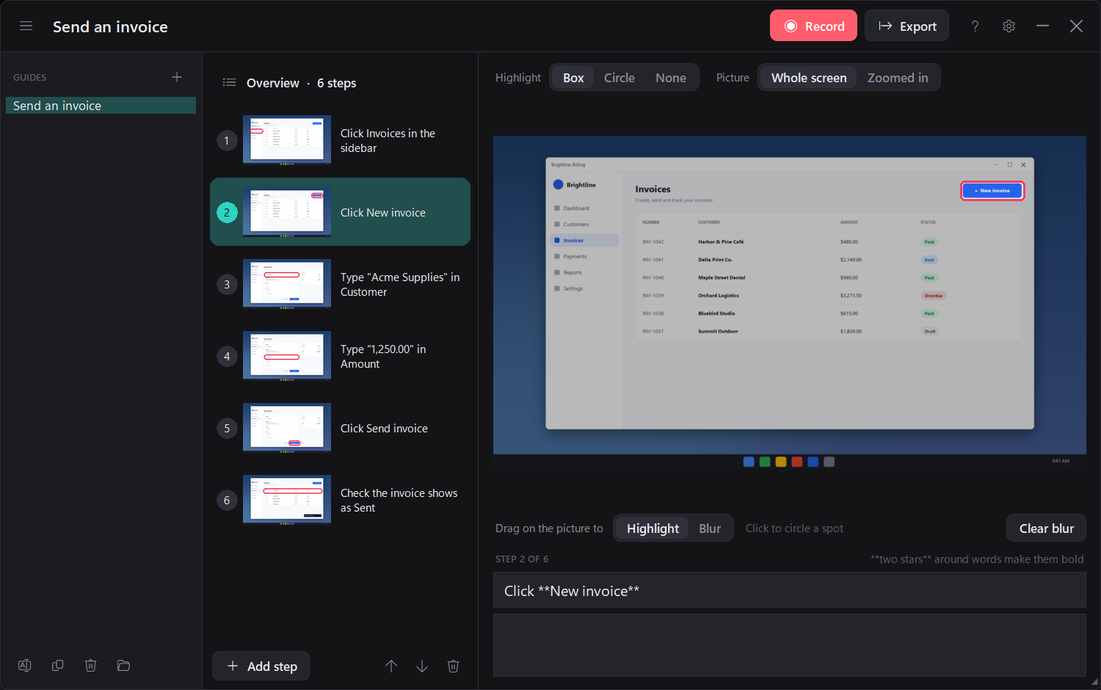
Every click becomes a step.
- Screenshots are taken the instant you click, with the button or field highlighted
- Instructions are written for you: Click New invoice, Type “Acme Supplies” in Customer
- Pause, add a screenshot without clicking, or finish — from any app with Ctrl+Alt+P, C or D
- The recording bar is hidden from screenshots, so it never appears in your guide
Private by design
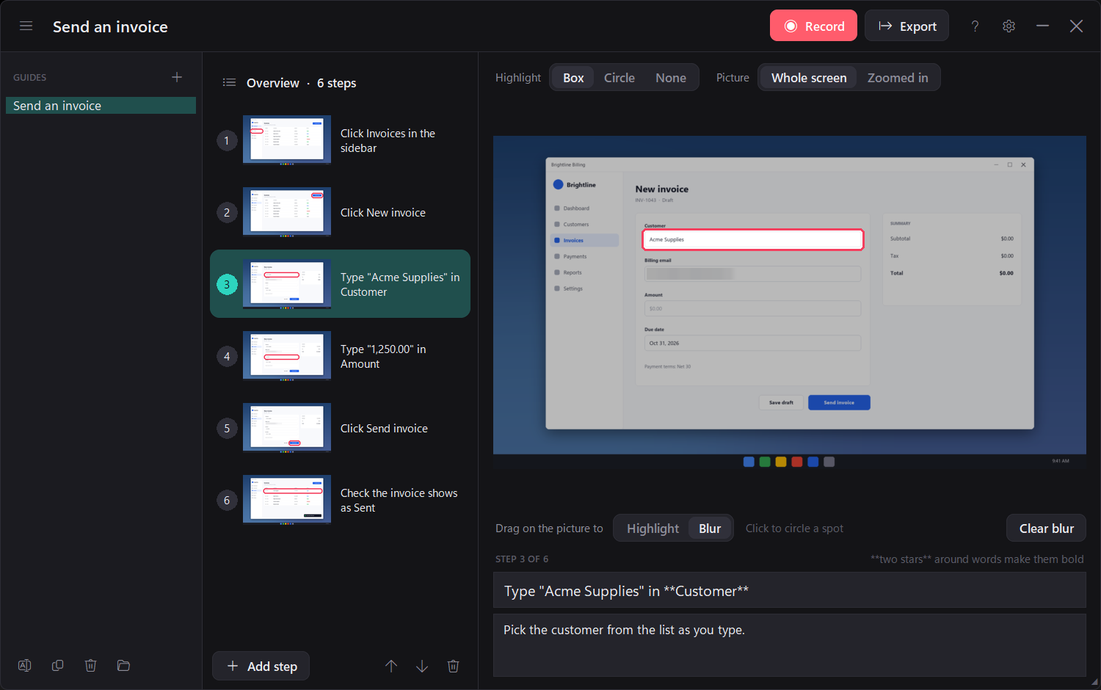
Blur anything private.
- Drag over names, emails or account numbers to blur them in every export
- Passwords are never recorded — text typed into password boxes is discarded
- Works offline: no account, no cloud, nothing uploaded
Share
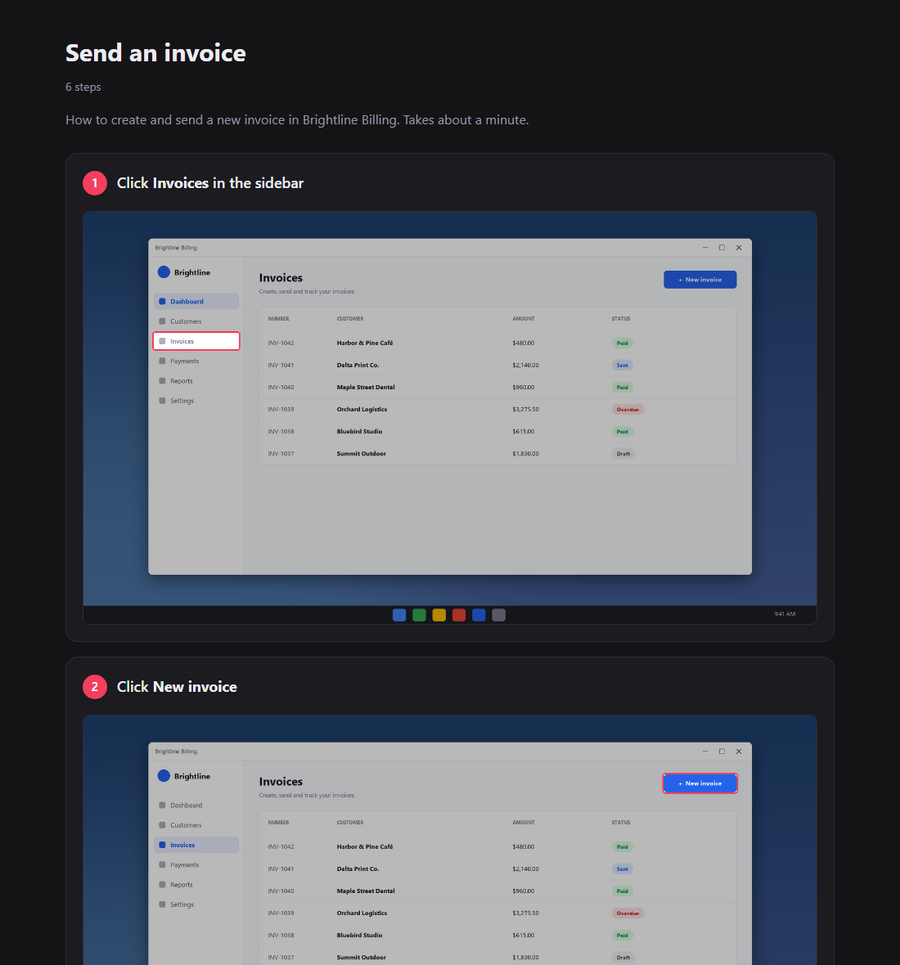
PDF, Word, web page or Markdown.
- A polished, numbered document in one click
- Word files you can keep editing; single-file web pages that open anywhere
- Markdown with images for wikis, Git and documentation sites
Edit every step
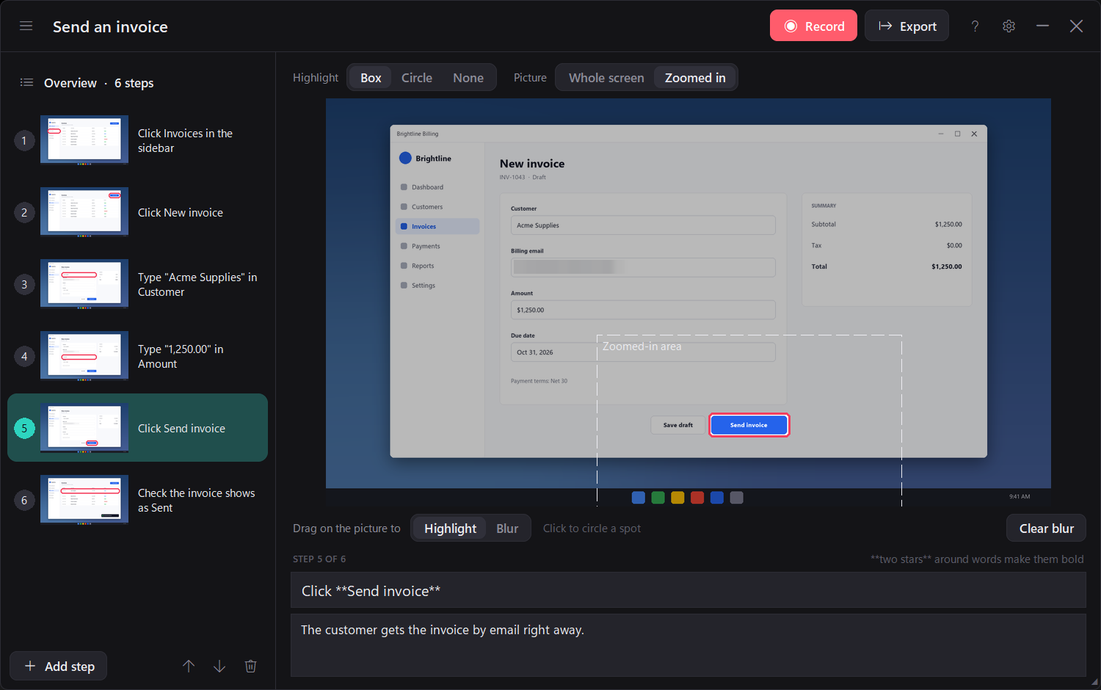
Retitle, reorder by dragging, add notes, images or text-only tips, and choose a box or circle highlight.
Easy to read, your way
Five window themes including High contrast, six accent colours and larger text sizes.
Your files stay yours
Guides are saved in your Documents folder. No account, no ads, no tracking. Privacy policy
Requirements
Windows 10 (version 2004) or Windows 11, 64-bit. Questions? support@oexta.com